What to do when you find a TIZE Tag
Important information about TIZE Tags that don't belong to you
Important Safety Information
If you receive a notification on your Android device about an unfamiliar TIZE Tag nearby, it means there is a TIZE Tag (TIZE Hex Tag or TIZE Aqua Tag) close to you that has been separated from its owner.
Initial Steps
Make it ring
If you've received a notification on your Android device about an unfamiliar TIZE Tag nearby, you can make it ring by tapping the system notification. This will help you locate the physical device.
Once located
After you've found the TIZE Tag, you have two options:
Option A: Disable It
If you suspect that the tag is being used to track you maliciously, you can disable it.
Option B: Enable Identification
If you think someone might have lost it, you can enable identification to get the owner's contact information.
How to Disable TIZE Tag
Use this method if you suspect malicious tracking
Locate the Button
Find the ON/OFF button on the front top of the TIZE Tag
Press 5 Times
Quickly press the button 5 times within two seconds
Confirmation
You will hear a confirmation sound indicating the tag is disabled
What happens after disabling?
- The TIZE Tag will be removed from the Find Hub network
- The owner will no longer receive location updates for this device
- You will no longer receive alerts related to this TIZE Tag
How to Enable Identification for TIZE Tag
Use this method to help return a lost item to its owner
Locate the Button
Find the ON/OFF button on the front top of the TIZE Tag
Press 6 Times
Quickly press the button 6 times within two seconds
Contact Information
The owner's contact information will be delivered to you
Why enable identification?
- Help reunite someone with their lost belongings
- Safely contact the owner through the provided information
- Be a good Samaritan and help your community
Button Location Reference
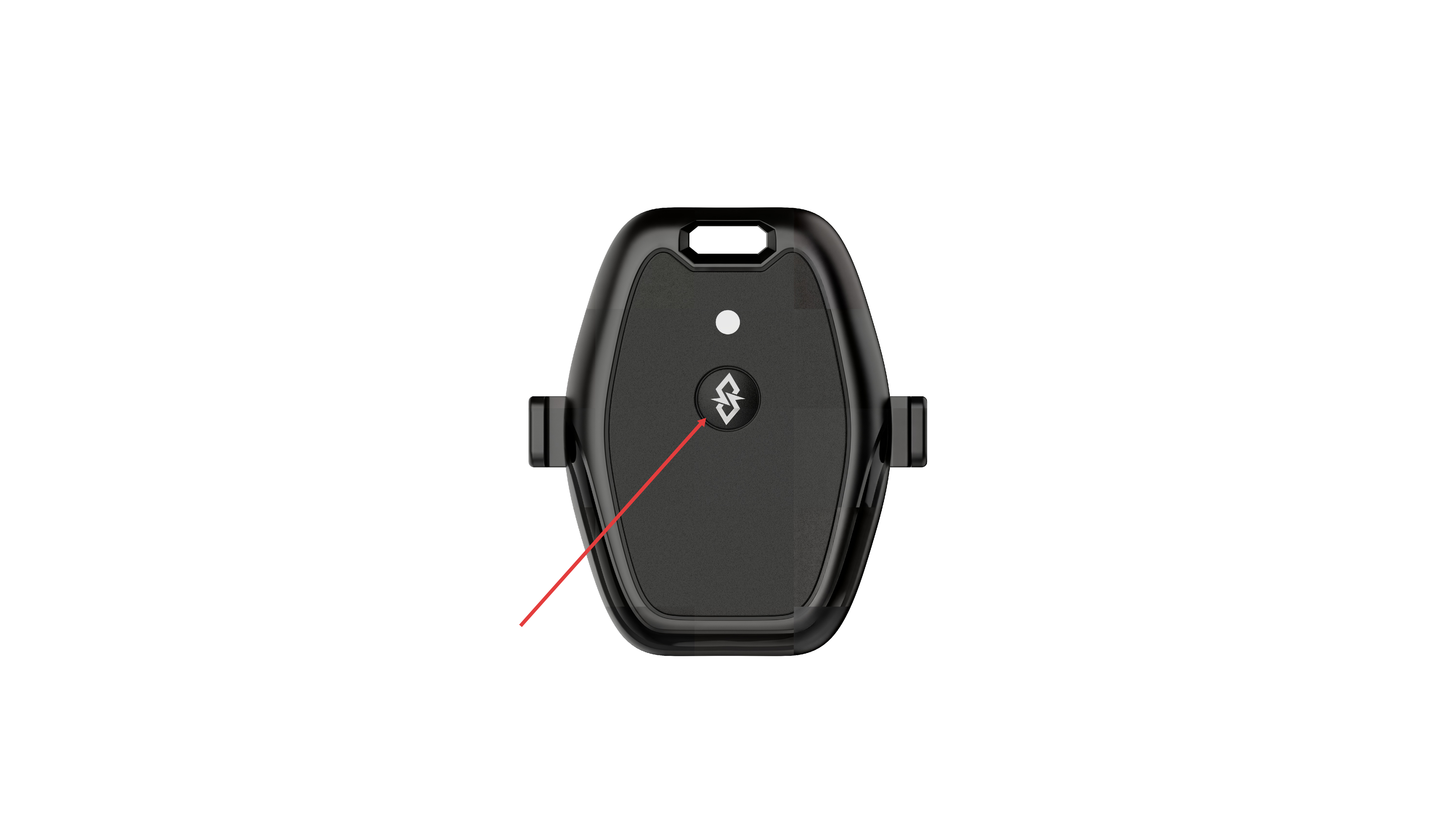
TIZE Hex Tag
The button is located on the front top of the device
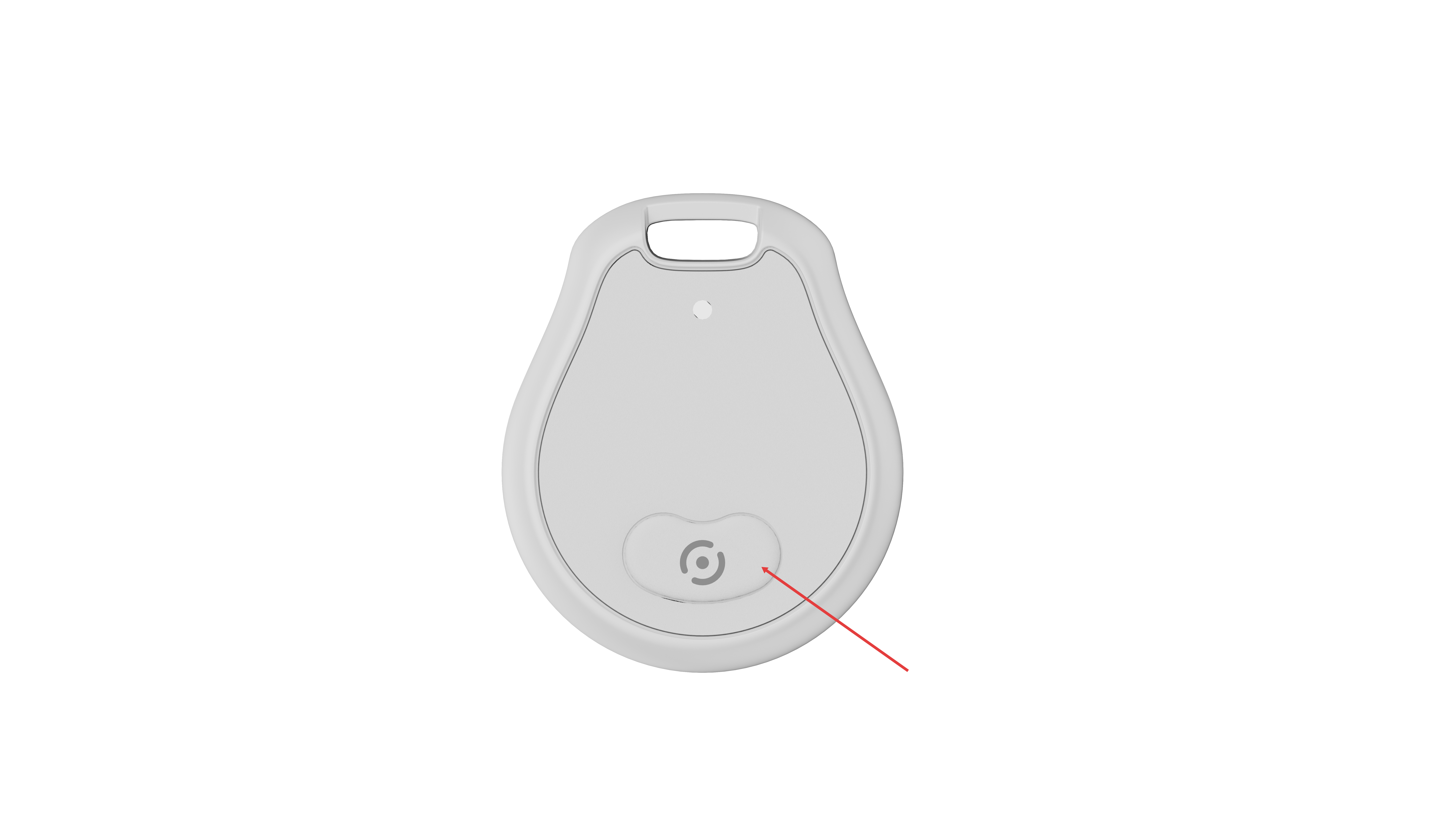
TIZE Aqua Tag
The button is located on the front buttom of the device
Important Notes
- These instructions apply specifically to TIZE brand devices (TIZE Hex Tag & TIZE Aqua Tag)
- The notification feature is only available on Android devices through the Find Hub network
- Always prioritize your safety. If you feel unsafe, disable the tag immediately
- If you believe you are being tracked maliciously, consider contacting local authorities
Quick Reference
| Situation | Action | Button Presses | Result |
|---|---|---|---|
| Suspect malicious tracking | Disable Tag | 5 times within 2 seconds | Tag removed from network, alerts stopped |
| Found a lost item | Enable ID | 6 times within 2 seconds | Owner's contact information provided |